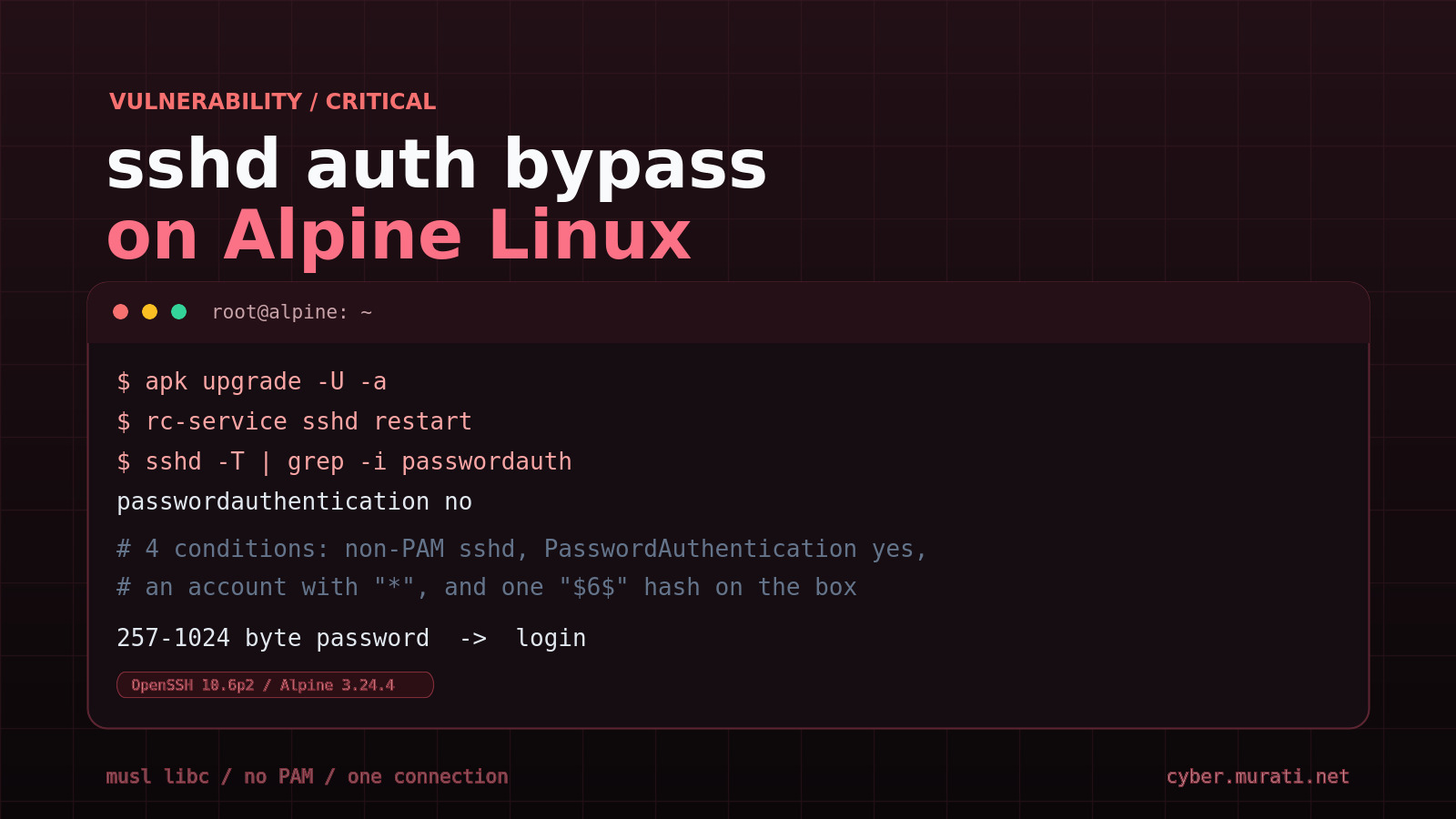
OpenSSH released 10.6p2 on November 5, 2026, to close a critical authentication bypass that logs an attacker in with nothing but a very long password. The affected combination is narrow but common: a sshd built without PAM, running on musl libc, with password authentication enabled. That describes the standard Alpine openssh-server package.
Alpine published a security advisory the same day and shipped fixed packages for every branch back to 3.16, including releases that had already reached end of support. No CVE had been assigned when both notices went out.
The four conditions
A server is reachable when all four of these are true:
sshdis the non-PAM build (openssh-server), oropenssh-server-pamis running withUsePAM no.PasswordAuthenticationisyes, the OpenSSH default.- At least one account has
*in the password field of/etc/shadow, the normal state for an account with no password set. - At least one other local account has a
$5$or$6$password hash.
The attacker also needs the name of the account with *. One password somewhere on the machine is enough to expose every account without one, and the login succeeds on the first attempt.
On Alpine, * accounts are more common than admins expect. root ships as root:* in the base image from roughly 3.16 onward. Key-only users created with usermod -p '*' qualify, as do users resolved through musl-nscd from a directory service, since they have no shadow entry. So do the alpine users in the official tiny-cloud images from 3.18.11 through 3.24.3, which additionally have passwordless doas.
What is not affected
Containers that do not run sshd, hosts with PasswordAuthentication no, the PAM build with UsePAM yes, and images configured through cloud-init (which writes PasswordAuthentication no) are out of scope. So are accounts locked with ! in the shadow field, and machines where no account carries a $5$ or $6$ hash.
Root on a default Alpine install is the awkward case. PermitRootLogin prohibit-password blocks the bypass for root itself, because password authentication is refused for that account regardless. That protection collapses where an exposed account can escalate, which is exactly the tiny-cloud arrangement: log in as alpine, run doas, get root.
Why a long password works
Without PAM, sshd verifies a password itself: it calls crypt() on the supplied string and compares the result with the stored hash. An account with * in the password field has no salt to work with, because the field is too short. sshd therefore borrows the salt from another account's hash, a behaviour introduced in 2016 while fixing CVE-2016-6210, a username-enumeration flaw.
musl's crypt() has refused inputs longer than 256 bytes since 2012, returning * to signal the error rather than NULL, because too many programs failed to check for NULL. A 257-byte password therefore produces exactly *, and the stored field is also *. The comparison succeeds. sshd's own 1,024-byte password limit sets the upper end of the range.
OpenSSH 10.6p2 makes sshd refuse a match when the stored field is shorter than four characters, according to the technical write-up. The project describes the release as a critical workaround and places the root cause in musl rather than in sshd; Alpine's stable packages carry the same patch.
Fix it now
Updating and restarting are two separate steps, and the second is the one people skip. Upgrading the package does not replace a running daemon.
apk upgrade -U -a
rc-service sshd restart
The fixed package versions are:
| Branch | Fixed openssh |
|---|---|
| edge | 10.6_p2-r0 |
| 3.24 | 10.3_p1-r2 |
| 3.23 | 10.2_p1-r1 |
| 3.22 | 10.0_p1-r11 |
| 3.21 | 9.9_p2-r1 |
Releases 3.20 through 3.16 also received fixed packages despite being out of support: 9.7_p1-r6, 9.6_p1-r3, 9.3_p2-r4, 9.1_p1-r7 and 9.0_p1-r6 respectively. On the current Alpine 3.24 container image, apk add openssh already resolves to 10.3_p1-r2, the patched build.
If you cannot patch yet
Turn off password authentication. The Alpine advisory supplies commands that add a drop-in and rewrite every PasswordAuthentication line in the main file, including those inside Match blocks:
mkdir -p /etc/ssh/sshd_config.d
echo 'PasswordAuthentication no' > /etc/ssh/sshd_config.d/00-no-passwords.conf
sed -i.bak -e '1i PasswordAuthentication no' \
  -e 's/^\(\s*PasswordAuthentication[^y#]*\)yes/\1no/i' \
  /etc/ssh/sshd_config
sshd -t && rc-service sshd restart
sshd -T | grep -i passwordauthentication
The last command must print passwordauthentication no. Keep an existing session open until a new key-based login succeeds. A drop-in alone is not sufficient on releases older than 3.19, which do not read sshd_config.d, which is why the advisory also edits the main file.
Check whether you were hit
The attack is a successful password authentication, so per-source penalties and failed-login counters never fire. Look in /var/log/messages for Accepted password for naming an account that has no password: root, alpine, or a key-only user. Review doas usage, recently created accounts, modified files and new authorized_keys entries on any host that was exposed. The advisory's guidance is blunt: if you cannot rule out a login, treat the machine as compromised.
The wider picture
The flaw is not Alpine-only. The reporter, Özgün Kültekin of Wakefield, names OpenWrt, Buildroot and Yocto as other musl-based systems to check. OpenWrt's default Dropbear server is not affected, so risk there is limited to installations that added OpenSSH. OpenSSH's Damien Miller told admins running affected systems to set PasswordAuthentication=no or disable SSH immediately. No in-the-wild exploitation had been reported at the time of writing.
There is a less comfortable lesson in the timing. OpenSSH said it is moving to more frequent releases because AI-assisted bug reports are arriving in volume, and because bugs found by one researcher are being independently rediscovered by others, including by adversaries who never report them. The Hacker News reports that this fix shipped the day after the project learned of the flaw.
The practical takeaway is that "we use keys, not passwords" is not the same as "we are not exposed". The accounts at risk are precisely the key-only ones, and what saves them is PasswordAuthentication no or a patched sshd. If you followed the [Alpine hardening guide](/posts/hardening-openssh-alpine-linux) published earlier today, its drop-in already sets PasswordAuthentication no; confirm with sshd -T, patch the package anyway, and restart the daemon.